Thinkle / Mobile App Design + Physical AI
Your notes from lecture? Already forgotten by tomorrow.
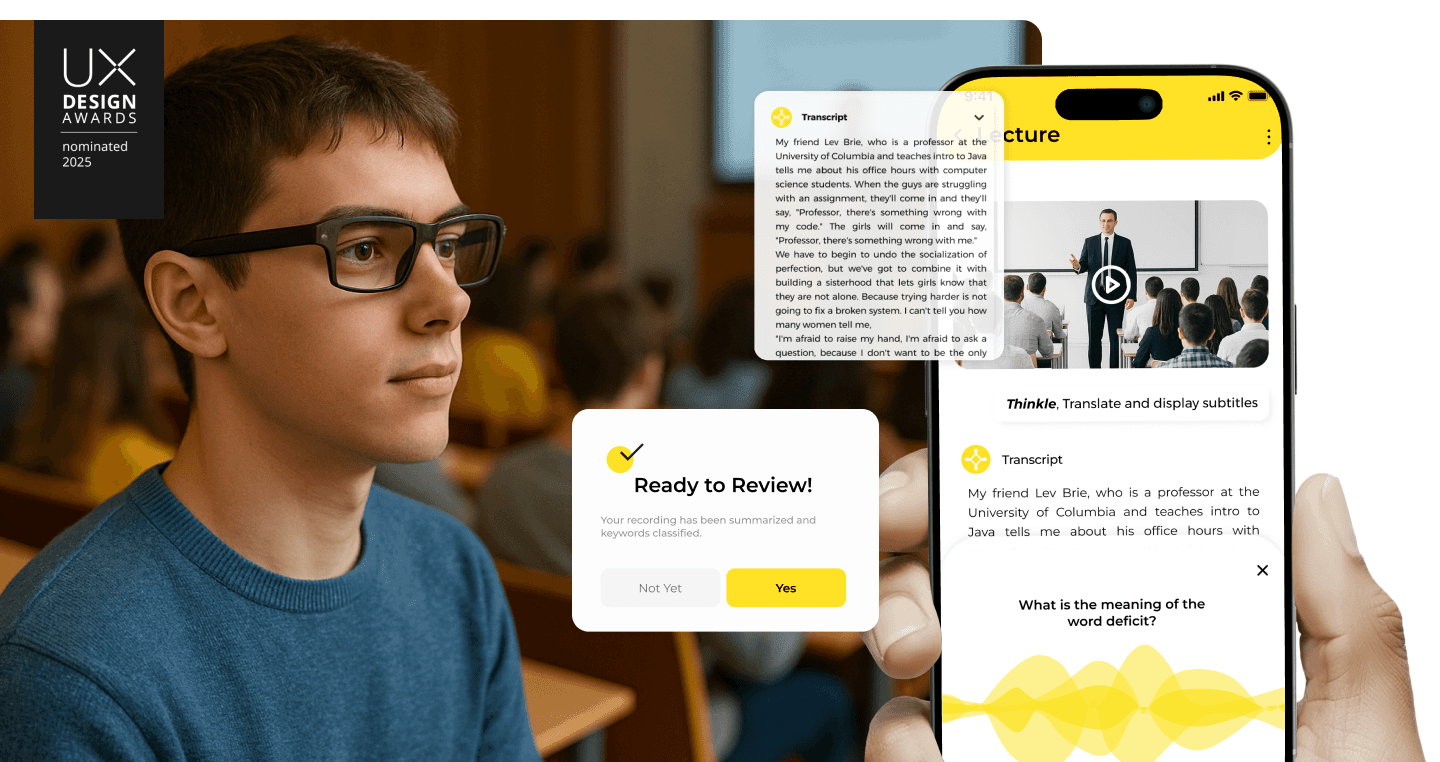
Thinkle is smart glasses + AI that captures lectures in real-time, organizes by concept (not date), and tutors you at your level. No more "wait, what did the professor say?"
Role
Product Designer
Duration
Feb – May 2025
Skills
AI Integration
User Research
Interaction Design
System Design
Prototyping
Recognition
Nominated for UX Design Awards 2025
Overview
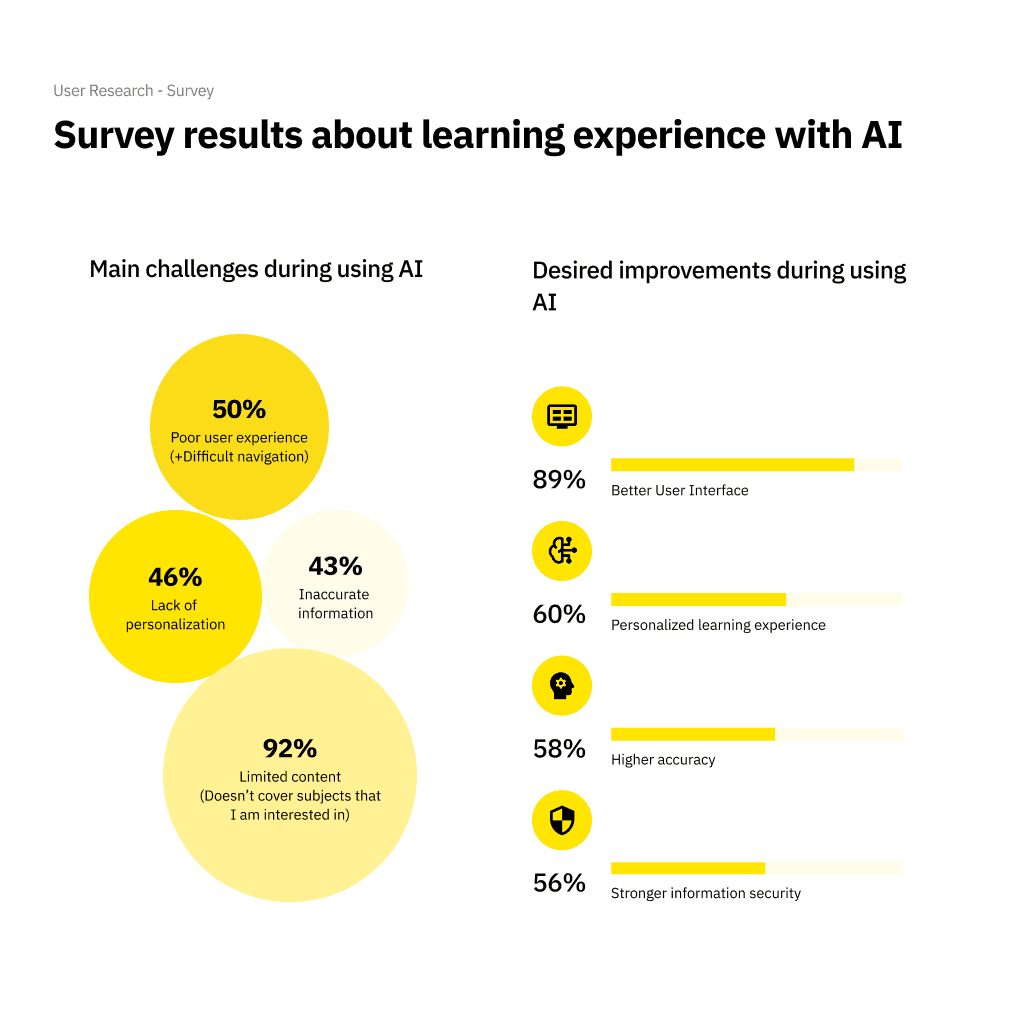
86% of students use AI to study. Most say it's making things worse.
Students aren't struggling because they're not smart enough. They're struggling because the tools don't adapt to them.
Current AI tools give generic answers that don't match comprehension levels. Note-taking apps organize by date, not by how students actually think. And capturing lectures while staying focused? Nearly impossible.
PROJECT CONTEXT
Starting Point
86% of students use AI but report lost confidence and decreased motivation
Core Challenge
Create personalized learning that adapts to individual comprehension levels
Scope
Smart glasses capture, note organization, AI tutor, community features
Constraints
Must work seamlessly across glasses and mobile; context-aware AI responses
The problem
The tools built to help students are failing them.
Current AI learning tools don't understand context, can't adapt to individual comprehension levels, and create more friction than support. This isn't just a usability problem—it's affecting students' academic success and mental health.
RESEARCH STATISTICS
THE CRITICAL INSIGHTS
Students using poorly designed AI tools reported:
Lost confidence in their abilities
Decreased motivation to learn
Feeling further behind their peers
65% of people are visual learners, yet most AI tools are built for text-based interaction only.
THE CHALLENGE
Solution
Smart glasses that take notes. AI that actually gets you.
DESIGN PRINCIPLES
Capture over recall
Use smart glasses to record lectures and questions in real-time, so students never miss key information.
Concepts over chronology
Organize notes by keyword tags that mirror how students actually think—not by when they learned something.
Adaptive over generic
AI tutor adapts responses based on student's comprehension level and learning style.
Mobile over desktop
Design for the device students actually use—their phones, accessible anywhere.
Visual over text-only
Support visual learners with diagrams, graphs, and concept-based explanations.
Core flows
01 VOICE CAPTURE & SUMMARIZATION
Never miss a moment.
AI-powered smart glasses system that records and summarizes lectures and spontaneous questions in real time. Students focus on learning, not typing.
02 KEYWORD TAGGING SYSTEM
Find anything in 10 seconds.
Flexible, user-created tags mirror how students naturally think about concepts. One note can have multiple tags. Search by concept, not time.
03 CONTEXT-AWARE AI TUTOR
AI that actually gets you.
Adapts to each student's knowledge level and learning style. Visual learners get diagrams. Beginners get foundational explanations. Advanced students get in-depth analysis.
Research
We talked to students. A lot of them.
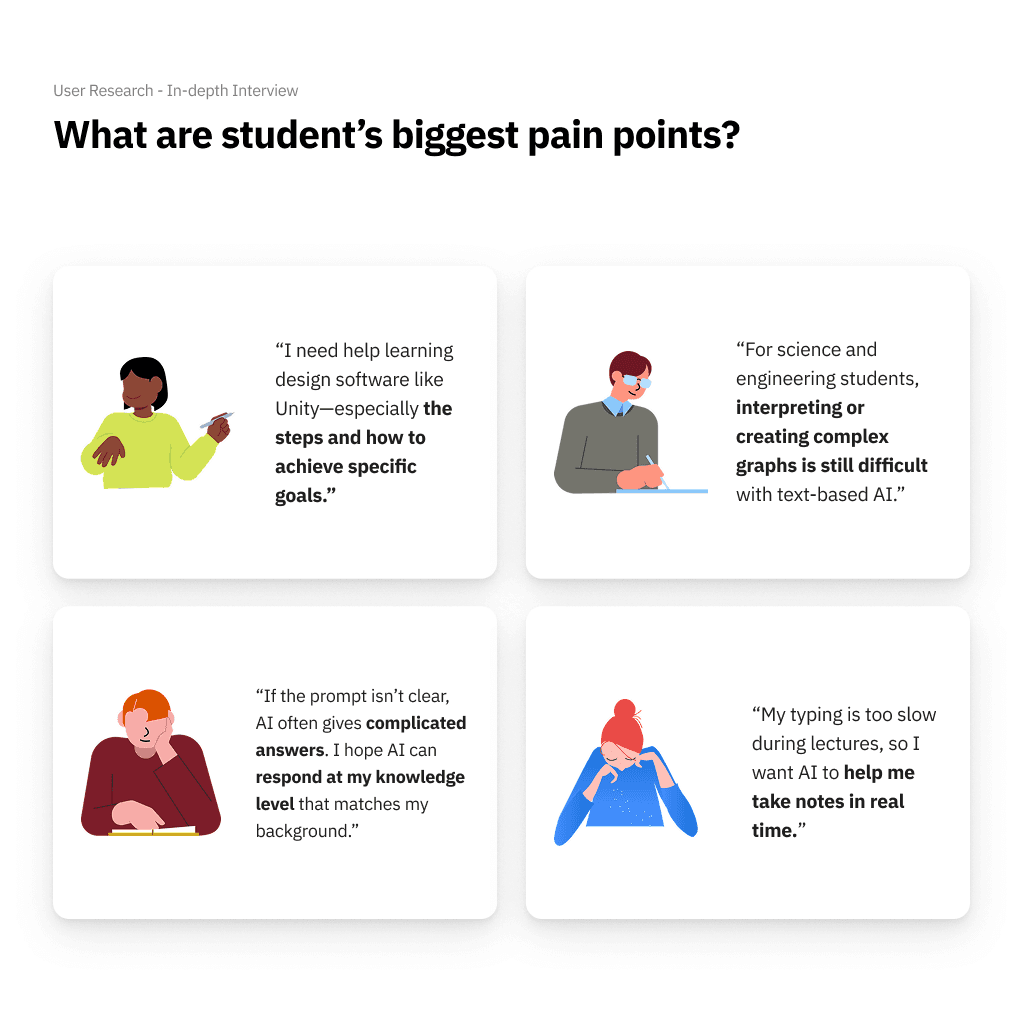
Before designing anything, we needed to understand: Why are students struggling despite having more AI tools than ever? We conducted surveys, interviews, and competitive analysis to uncover what existing tools get wrong—and what students actually need.
WHAT WE DID
Survey (n=100+)
86% use AI, but 46% say it doesn't match their level
In-depth Interviews (n=8)
Typing during lectures breaks focus; visual learners are underserved
Competitive Analysis
No tool combines capture + organization + adaptive tutoring
Platform Evaluation
Compared phones, AR headsets, and smart glasses
WHY SMART AI GLASSES?
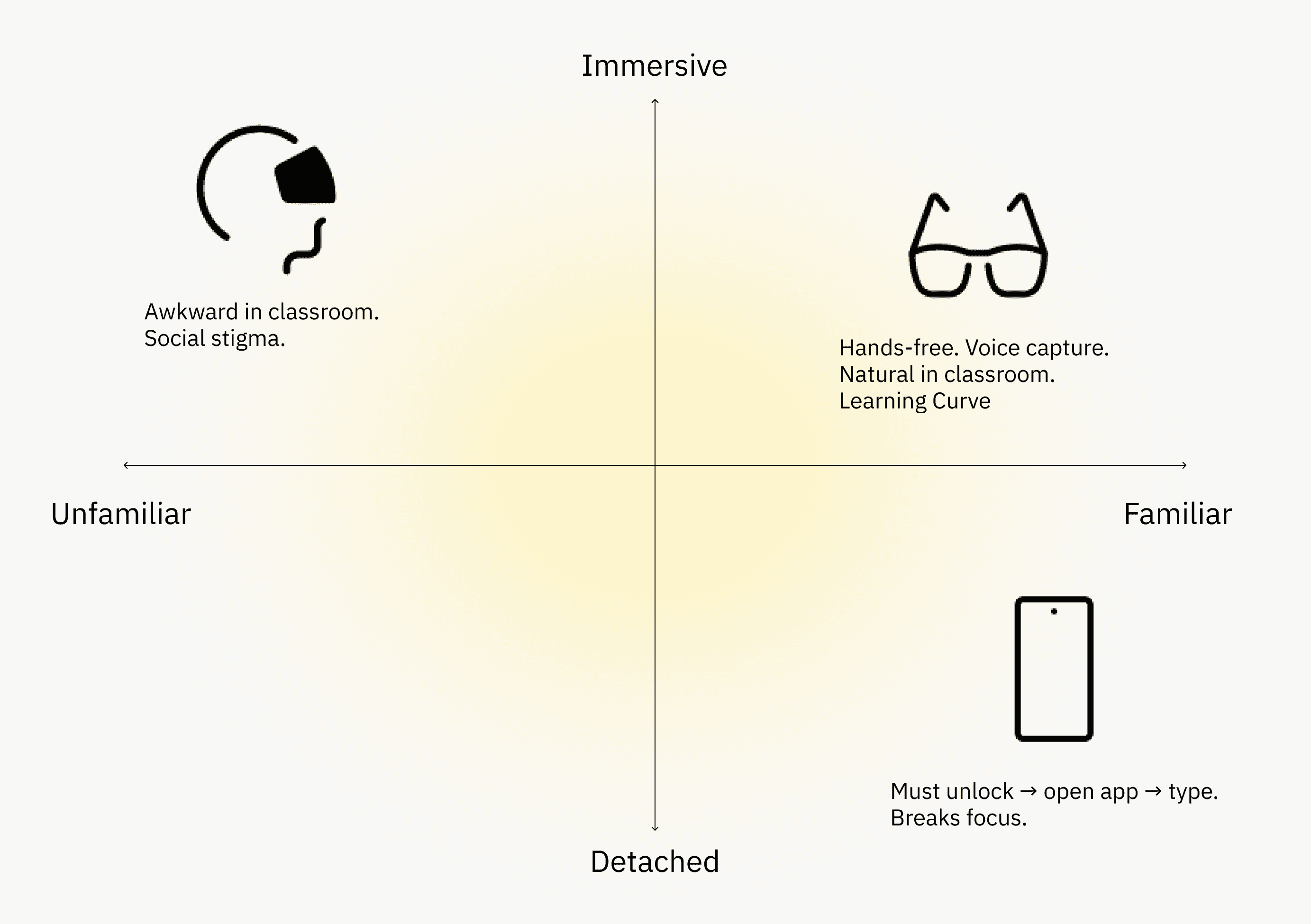
Glasses function as a passive sensor—capturing audio and visuals without interrupting learning flow. The phone becomes the review tool, not the capture tool.
Design Process
"I can't find anything in my notes. When I need something, I scroll forever."
We tested three different organization systems before landing on the right one.
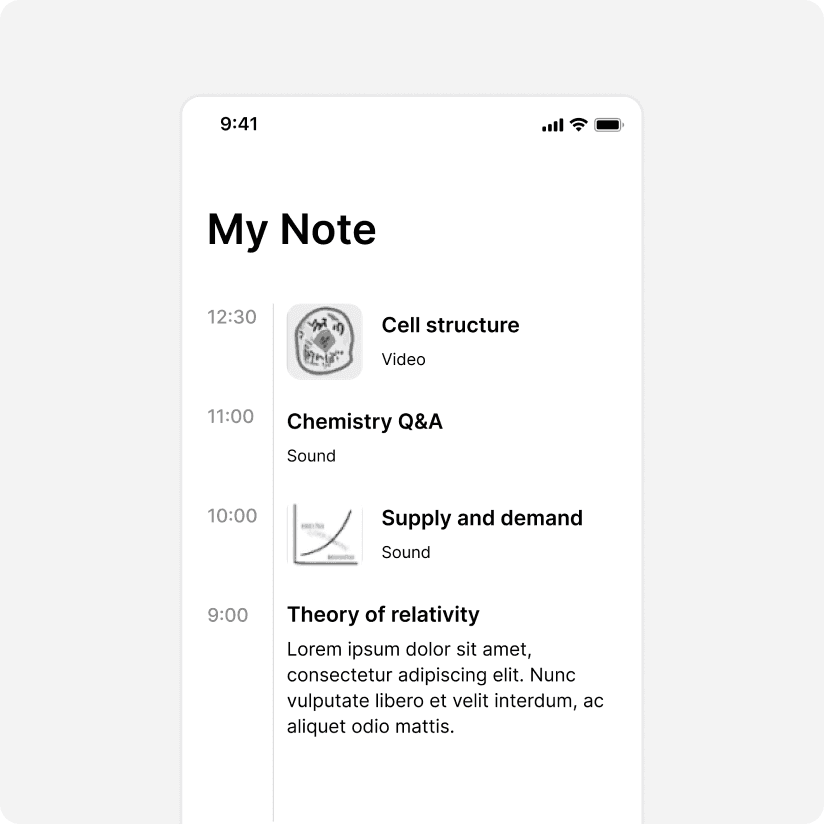
Initial Design
Chronological Timeline (Initial Design)
Hypothesis:
Organize by date. Simple and familiar.
Results:
I don't care WHEN I learned derivatives. I need to see all calculus together."
Students scrolled endlessly looking for related concepts
Learnings
Students think in concepts, not dates.
Design Iterations
Keyword Tagging System (Selected)
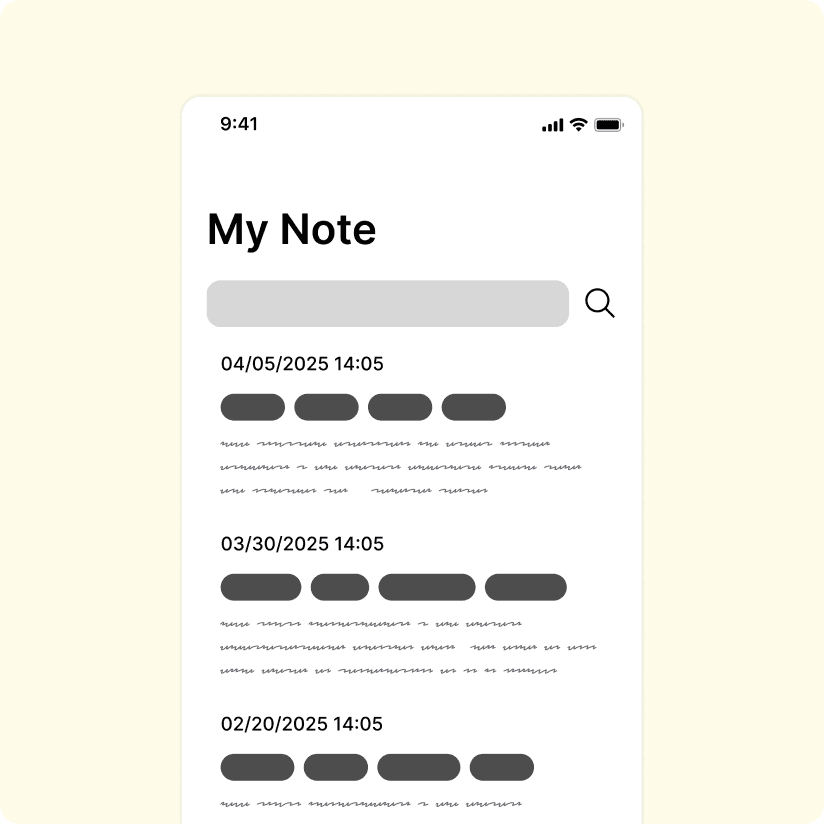
Hypothesis:
Let students create their own tags. One note, multiple tags. Search by concept.
User Testing Results:
94% found specific content within 10 seconds
"This is exactly how I think about my notes"
Works across subjects ("derivatives" shows math AND physics notes)
Why it works:
Unlimited custom tags
Multi-tagging (one note belongs to multiple concepts)
Search by keyword, not date
Students define their own mental model
Mind Mapping System
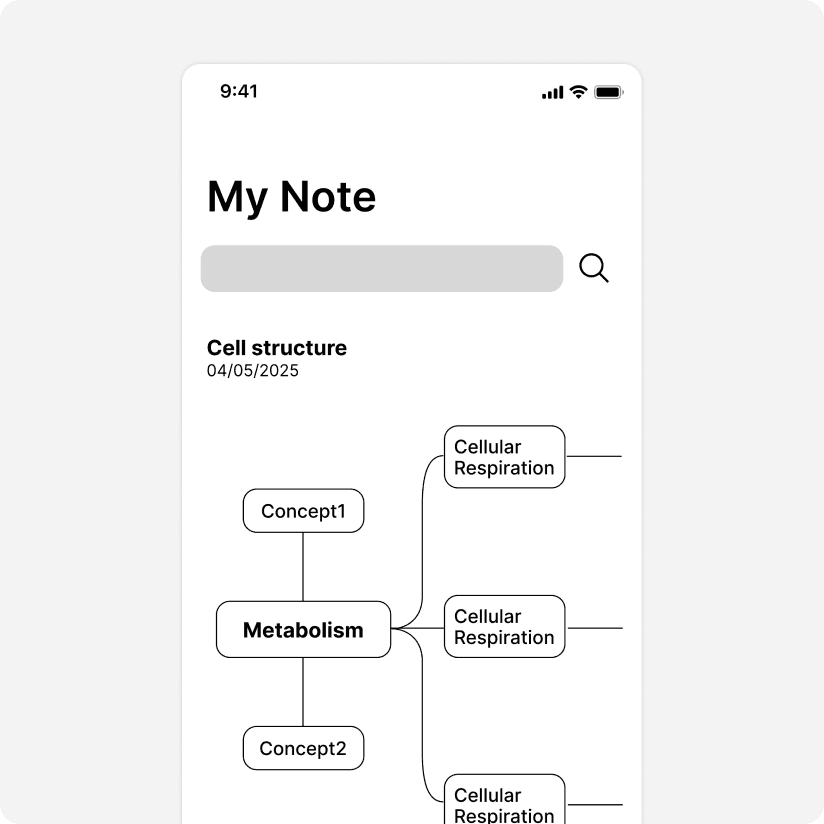
Hypothesis:
Visual connections between concepts mirror how the brain works.
User Testing Results:
"This is impossible to use on my phone."
Beautiful on desktop. Unusable on mobile.
10+ weeks of content = overwhelming visual chaos
Learnings:
Looks great in Figma ≠ Works in real life.
Color Coding
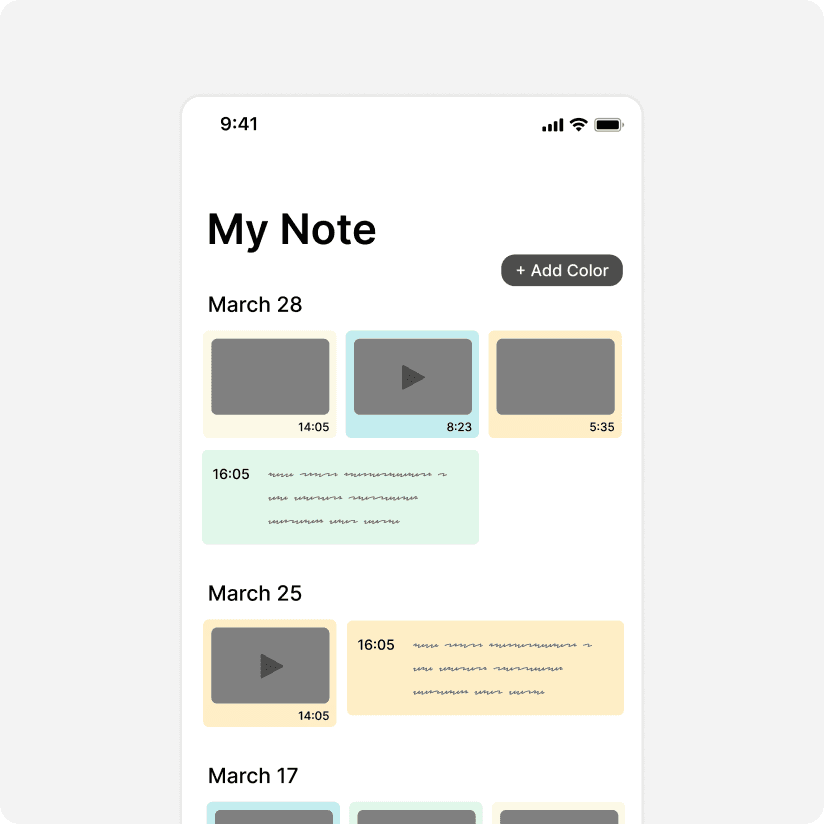
Hypothesis:
Color-code by subject for quick scanning.
User Testing Results:
Easy to scan
Couldn't create custom categories
Still didn't connect related concepts across subjects
Learnings:
Color helps scanning, but doesn't solve organization.
Final Design
The complete Thinkle experience
01 | Dashboard + My Note: Intelligent Organization
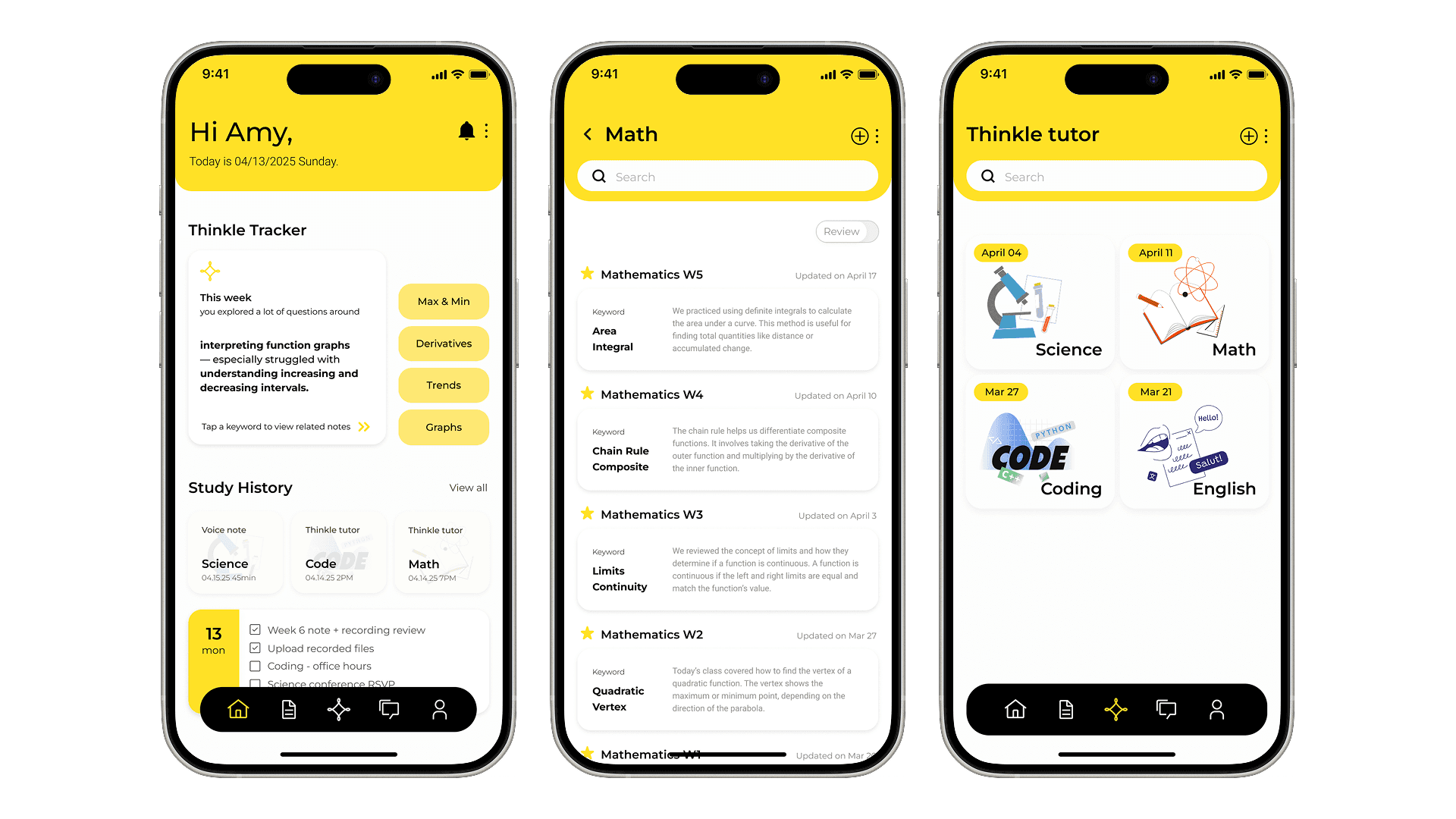
Home Dashboard: Check their learning patterns and get contextual recommendations based on what they're struggling with.
What you see:
Thinkle Tracker: "This week you struggled with function graphs—especially increasing/decreasing intervals."
Quick Access: Tap suggested keywords to jump to related notes
Study History: Voice notes, tutor sessions, recordings—organized by recency
Why it matters:
Students open the app and immediately know where to focus.
02 | Thinkle Tutor: Adaptive AI Support
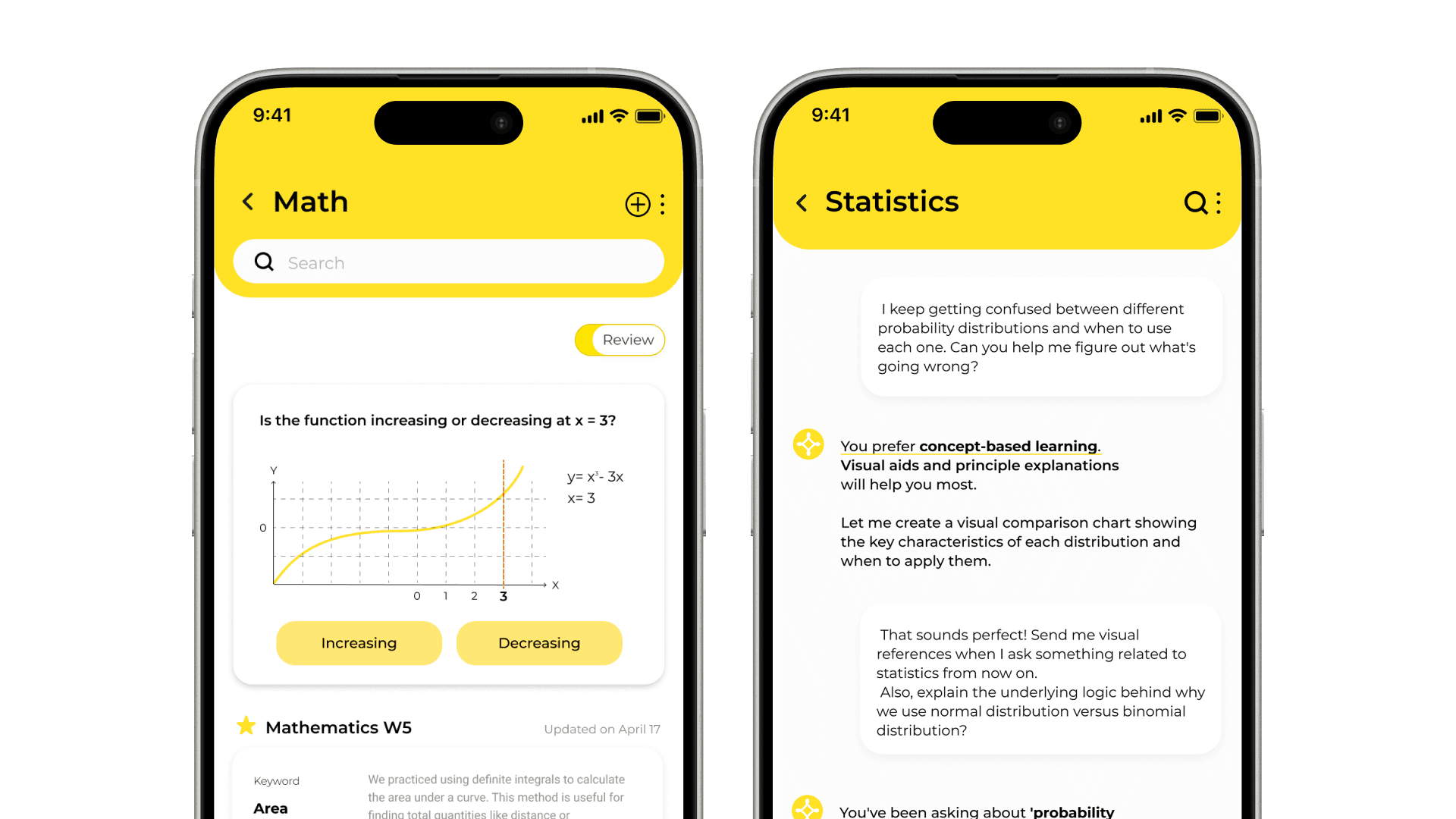
Example:
Student: "I'm confused about probability distributions. When do I use normal vs binomial?"
Thinkle: "You prefer visual learning. Here's a comparison chart showing when to use each distribution..."
Student: "Send me visual references for statistics from now on."
Thinkle: "Got it. I also noticed you've been asking about probability a lot this week."
Why it matters:
AI that remembers context and adapts to learning style.
Next steps
1. Test with real-world users
Conduct testing with actual carriers and customs brokers to validate the workflow in real-world conditions.
3. Onboarding for beginners
Develop a dedicated onboarding flow specifically for first-time international shippers.
Looking back
What I learned from Thinkle.
Test on real devices
Mind mapping looked gorgeous in Figma. Completely failed on mobile. Always test where users actually are.
Context is everything for AI
"Explain derivatives" needs different answers for different students. Generic AI helps no one.
Design the flow, not just screens
Glasses → Phone handoff required thinking in transitions, not just individual interfaces.
Closing thoughts
Thinkle started with a simple observation: students aren't struggling because they're not smart enough. They're struggling because the tools don't adapt to them.
Great product design isn't about adding features. It's about removing every barrier between users and their goals.